
 FR
FR DE
DE EN
EN


Access to myTeacher
Access to myTeacher
Depending on the chosen authentication mode, the access to myTeacher requires a user’s name and a password. This information is communicated by the administrator of the platform.
Click on the logo myTeacher to gain access to the window of login.
Below, on the left, is the standard login window.
But you can customize it (below, right) with a personal image.
Beware of image rights!
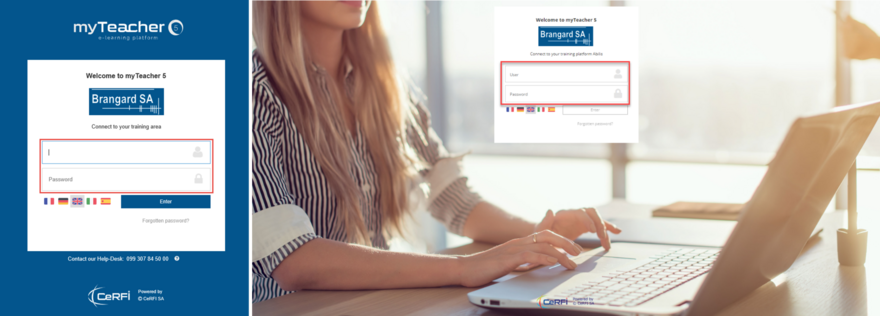

Standard and custom login windows
In the window of login, fill in the user’s name and the password.
Click on Enter.
A complex password option is available in myTeacher.
(at least 8 characters, one upper case, one lower case, one number and one special character)
The customizable login window and complex password functions can be activated in the application configuration file (Web.config), and require direct access to the myTeacher server.
Therefore, for security reasons, customers who require these features are asked to contact our support team for instructions on how to proceed.
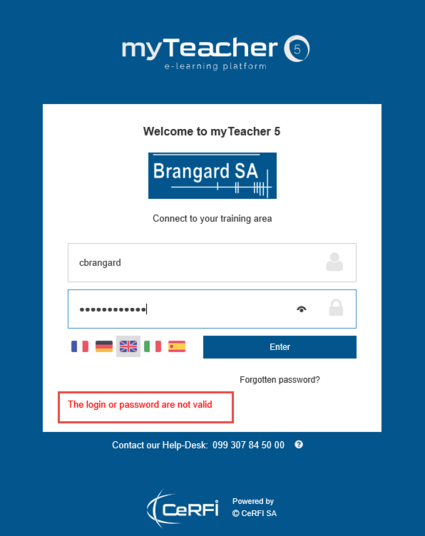
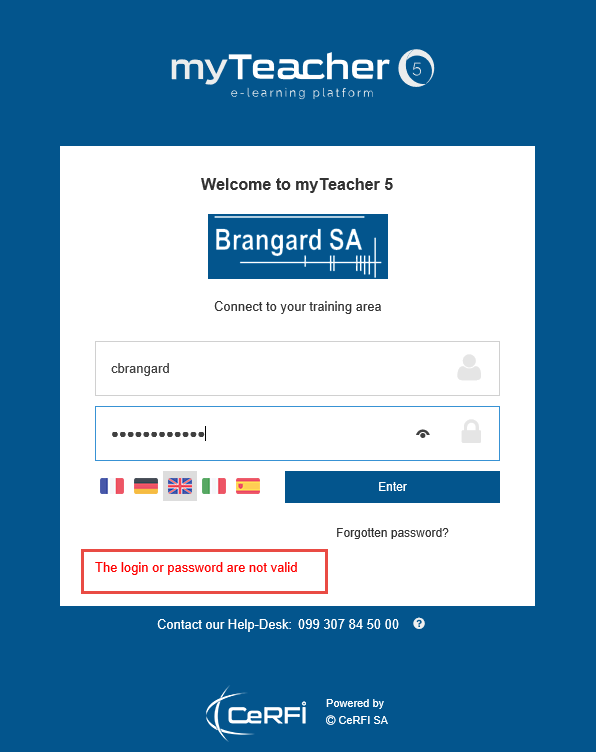
Mistake in the user’s name or in the password
A message appears in case of a mistake in the user’s name or in the password.