
 FR
FR DE
DE EN
EN


Forum
The forum allows all the registered users to put questions, to answer them and to exchange remarks.
Access to forum
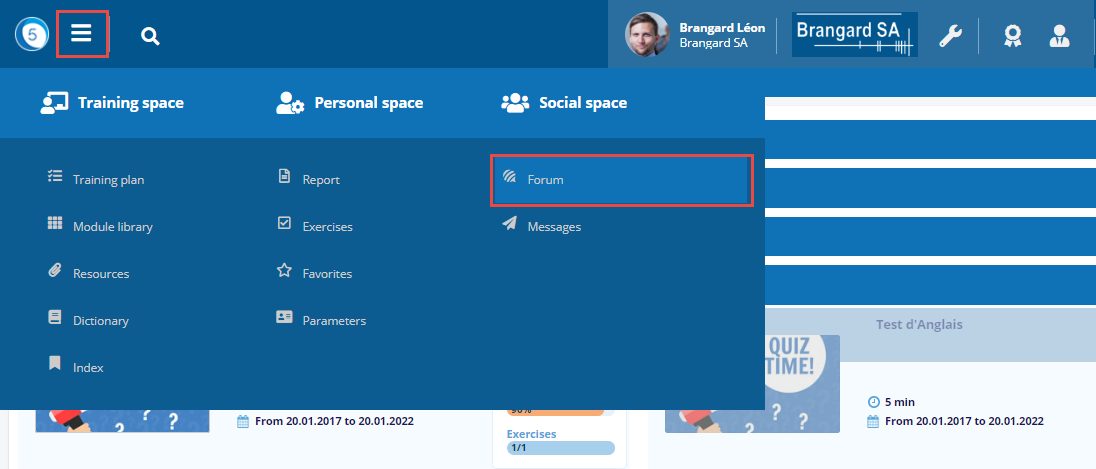
Click on the Burger menu then on Forum in the Social space.
Social space > Forum
-
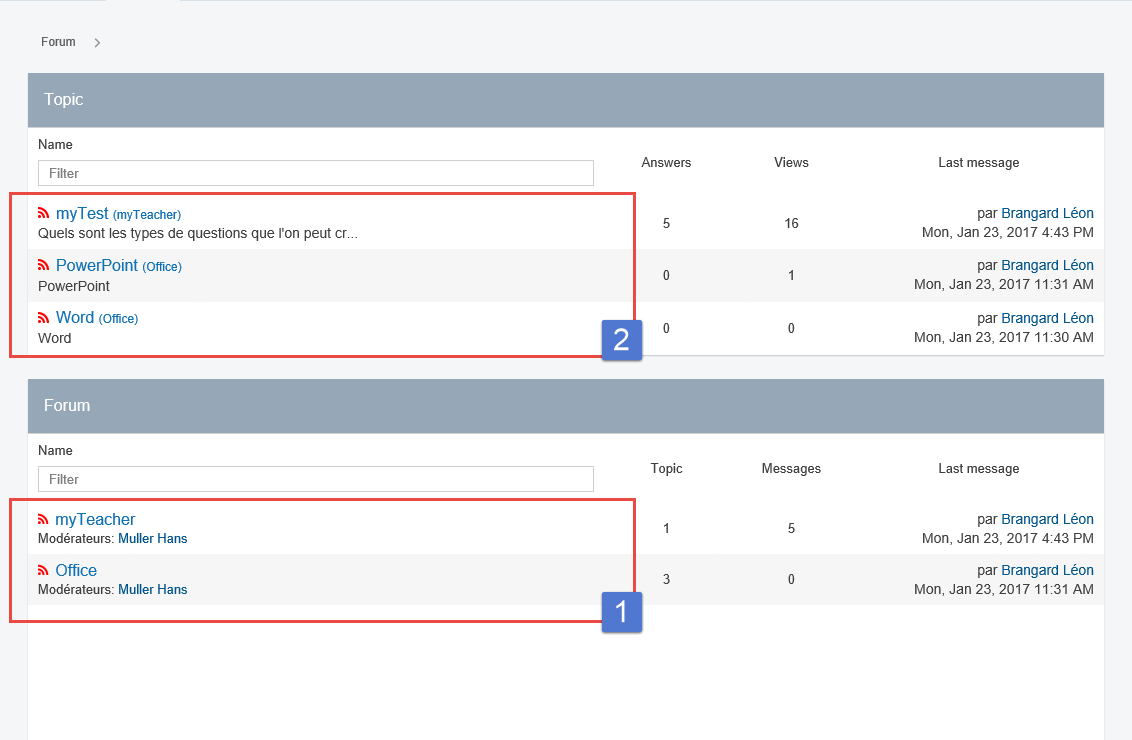
The listed forums are those for which the user is registered.
-
The visible subjects are the last answers posted in the forums to which the user is registered.
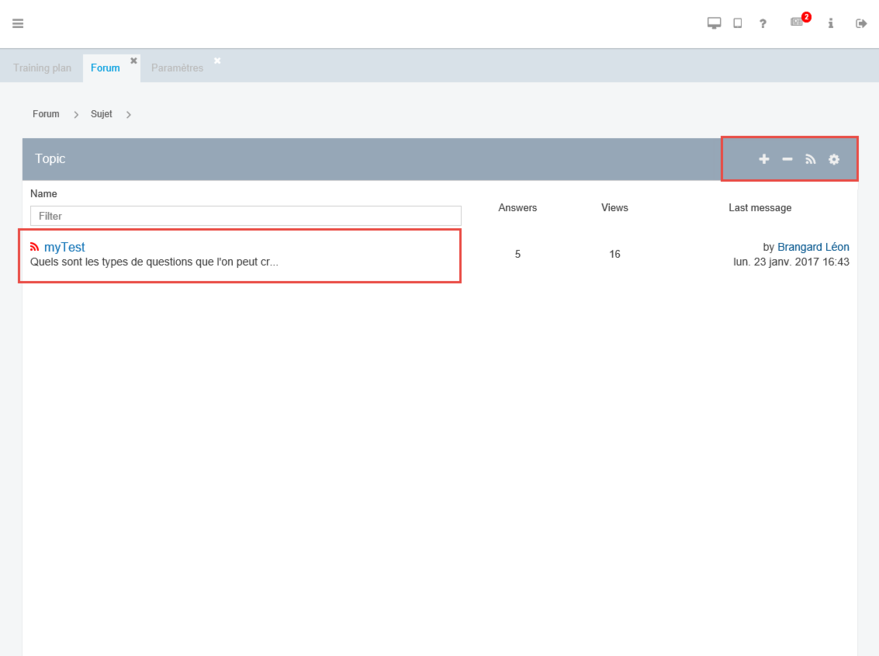
Subject of a forum
-
Click on a forum to display the list of the subjects for discussion.
-
Click on + to add a new subject..
-
Click on – to cancel a subject.
-
Click on the button wave to subscribe to the selected subject and receive a mail for each new post.
-
Click on the wheel to modify the subject.
Subject
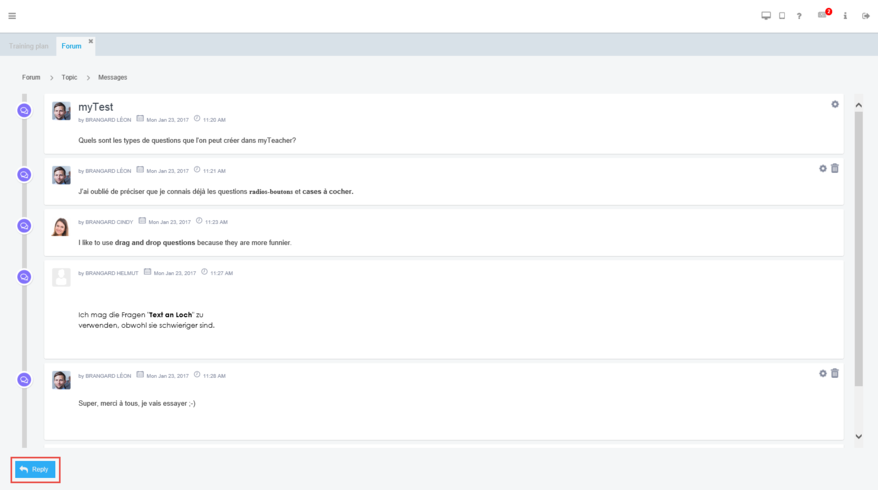
Adding a subject
Click on a subject to display all the items. It then becomes possible:
-
to modify a item which the user has written himself
-
to cancel a item which the user has written himself
-
click on Answer in order to add a item
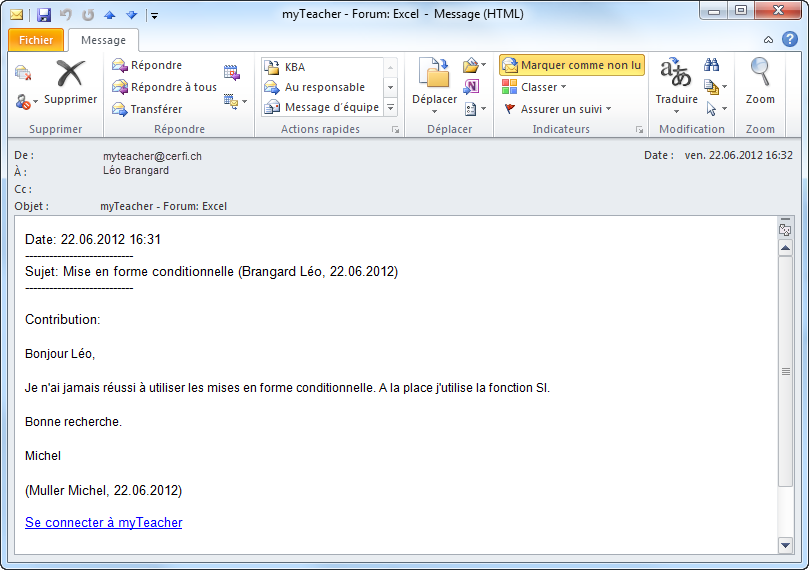
Receiving e-mail
To give an answer, you need to connect to myTeacher
Icons
In the forum, there exist different icons which illustrate the various pieces of information and actions.
 The user has not subscribed to the forum or to the subject therefore he receives no e-mail when the commentary is published.
 The user can modify his/her subject thanks to this button.
 The user can subscribe/unsuscribe to a forum or to a subject with the help of this button.
 The user can modify his commentary with the help of this button.
 The user can add a commentary by clicking on the button Reply.
 The user has subscribed to a forum or to a subject therefore he receives an e-mail when a commentary is published.
 The user can cancel the subject which he has added in a forum.
 The user can add a subject in a forum.
 The user can cancel his commentary with the help of this button.
 This icon indicates to the user that he cannot comment on the information received.