
 FR
FR DE
DE EN
EN


File def.docm
The definitions are handled automatically on the condition that the document def.docm can be found in the folder def.
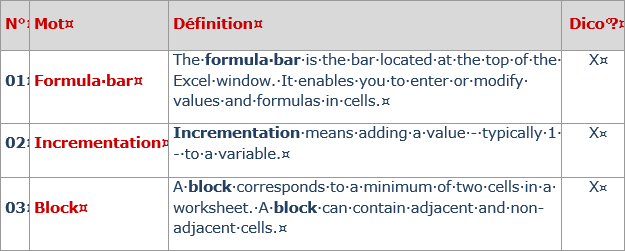
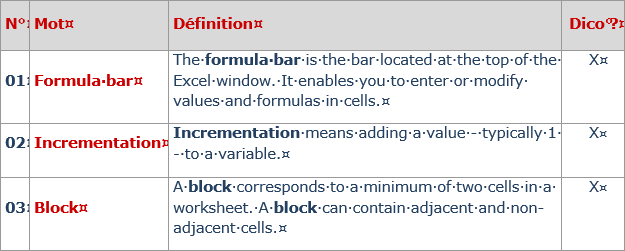
File def.docm
There is only one file for all module definitions.
The first column defines the number of the definition, the second the word, the third the definition, the fourth allows to insert or not the definition in the dictionary (the cross signifies that the definition will be in the dictionary).
The formatting of text (color, lower- uppercase and bold) is retained when the module is published.
On the other hand, it is not possible to create complex page set-ups for the definitions. Some formatting will not be respected or will not be published like:
- a bullet list
- a picture
- an image
For more complex page set-ups, conceive rather a complement which allows more freedom for the formatting.