
 FR
FR DE
DE EN
EN


Screen login
In order to import modules in the platform myTeacher, it is necessary to authenticate oneself.
By clicking on the buttons Integrate or Convert and integrate, the following dialogue box appears before any processing on the selected modules.
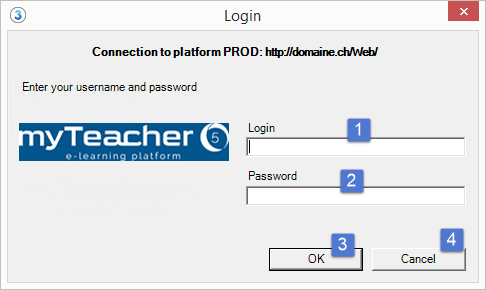

Screen login
| 1 |
Enter the user’s name in the field Login. |
| 2 |
Enter the password in the field password. |
| 3 |
Click on the button OK to validate |
| 4 |
Click on Cancel to close the window without validating. |
The two fields Login and Password are compulsory.