
 FR
FR DE
DE EN
EN


Servers screens
To choose the address of the server to which import modules in myTeacher, click on Servers myTeacher in the menu Tools.
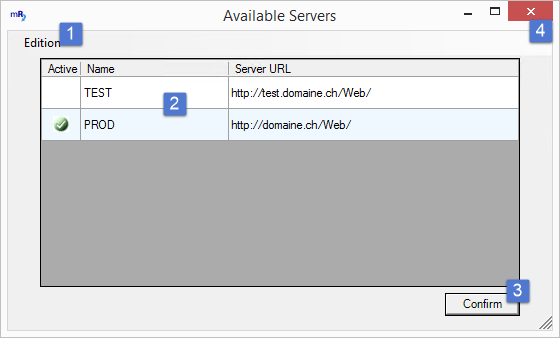
Choice of the server myTeacher
| 1 |
Menu Edition to add, cancel or mark as active a path of server. |
| 2 |
List of paths of servers. Each line can be edited for modification. |
| 3 |
Click on the button Validate to confirm the modifications and close the window. |
| 4 |
Click on the cross to close the window without validating. |